Transactional emails Pro
This page is about Brevo Pro, the paid add-on of this plugin. One price, perpetual license, every Pro module included. See Brevo Pro →
Sylius emails (order and shipment confirmation, registration, password reset, contact request…, and those of other plugins) can go out with templates designed in the Brevo editor, so the marketing team changes them without a deploy.
Turning it on
- Turn on the Transactional emails module of the channel (Brevo > Configuration).
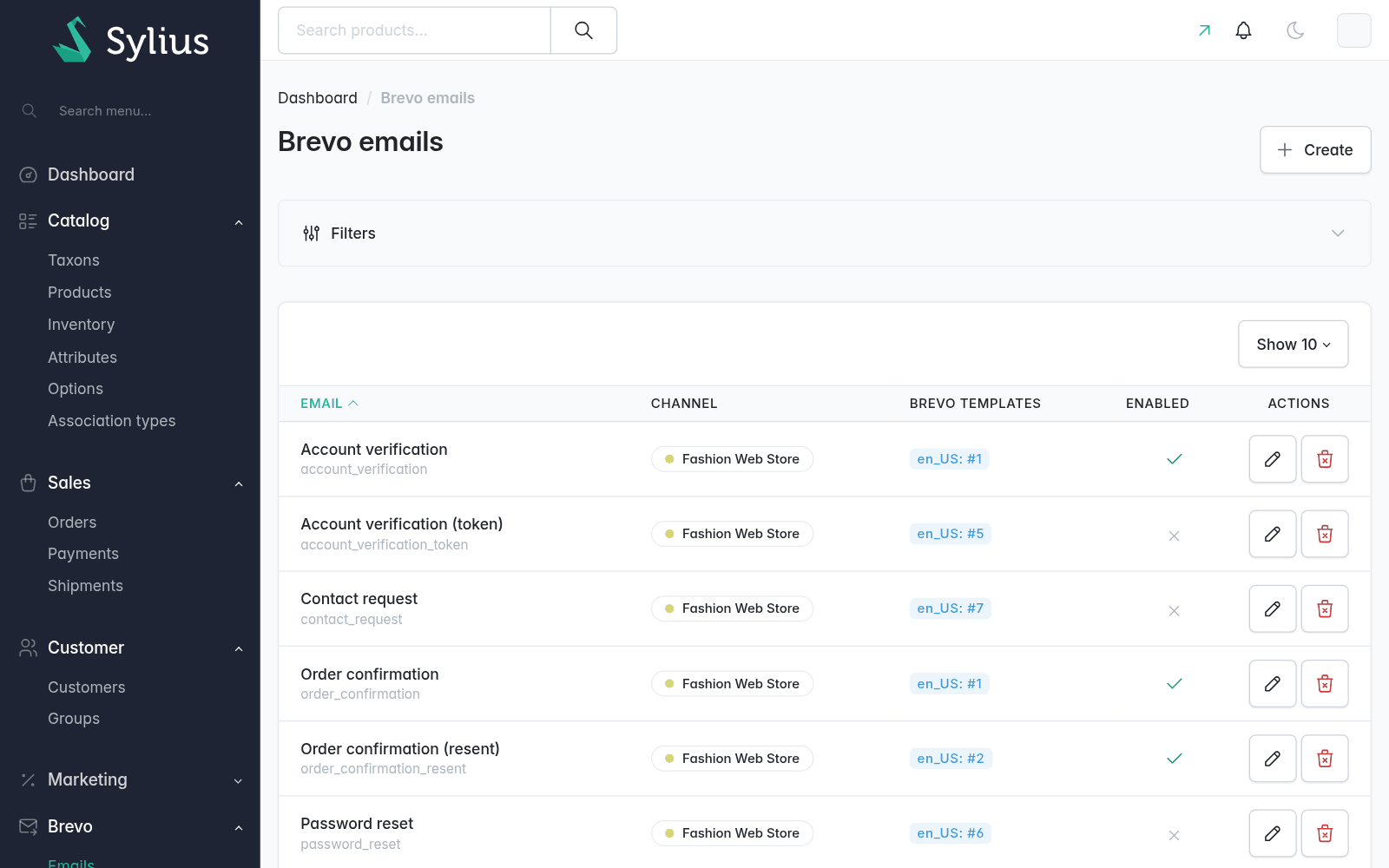
- In Brevo > Emails, add the Sylius email, its channel and a Brevo template per language, chosen among the active templates of the channel's Brevo account.
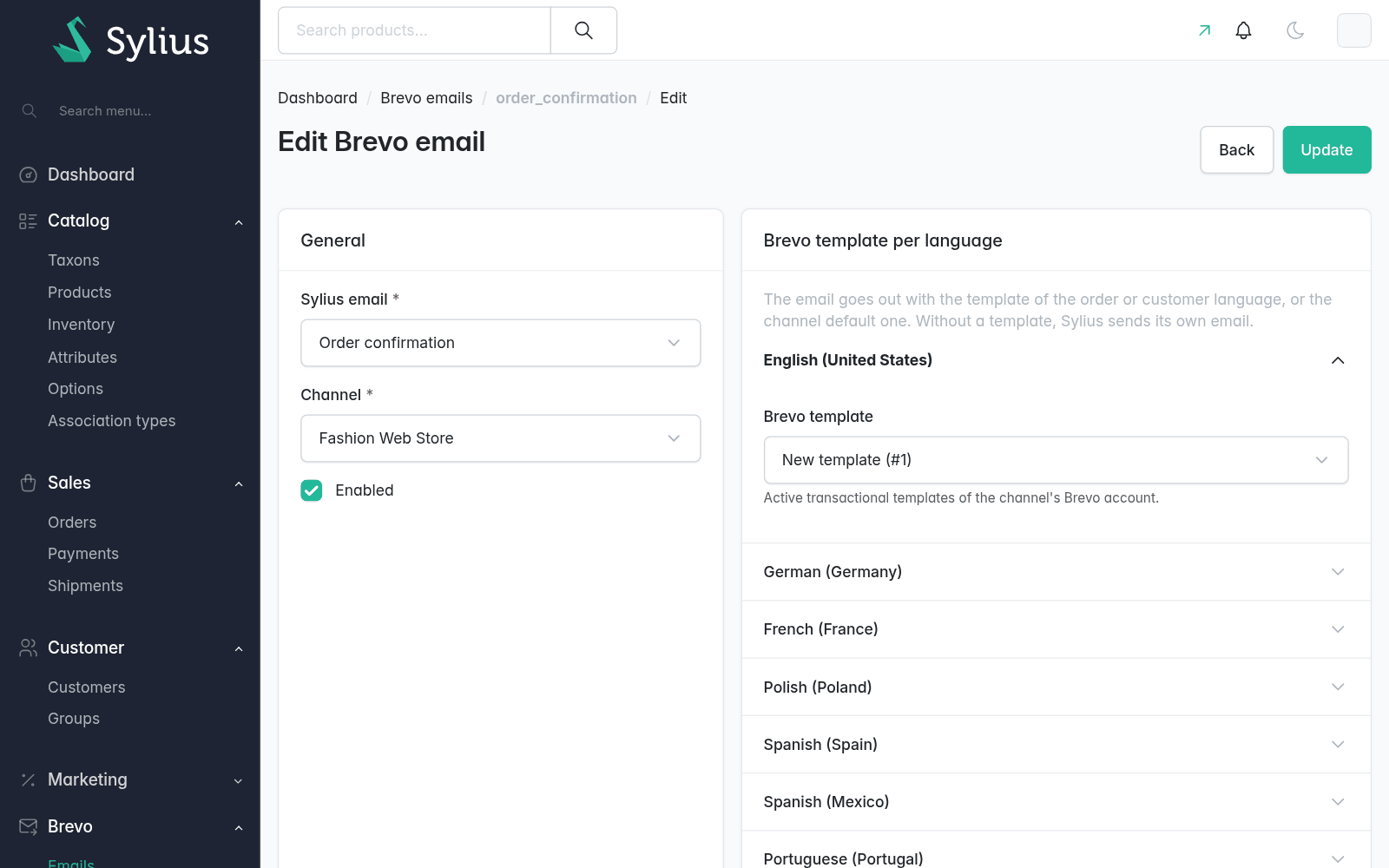
The email goes out with the template of the order or customer language, else the channel default language one. Without a mapping, with the module off or without a template, Sylius sends its own Twig email as usual.
Brevo is called after the response (through the plugin's queue), so it never slows down a checkout; a failed call is retried and ends up in odiseo_brevo_failed.
The channel sender (Brevo > Configuration) is used when set; otherwise, the template's one.
Test mode and hidden copy
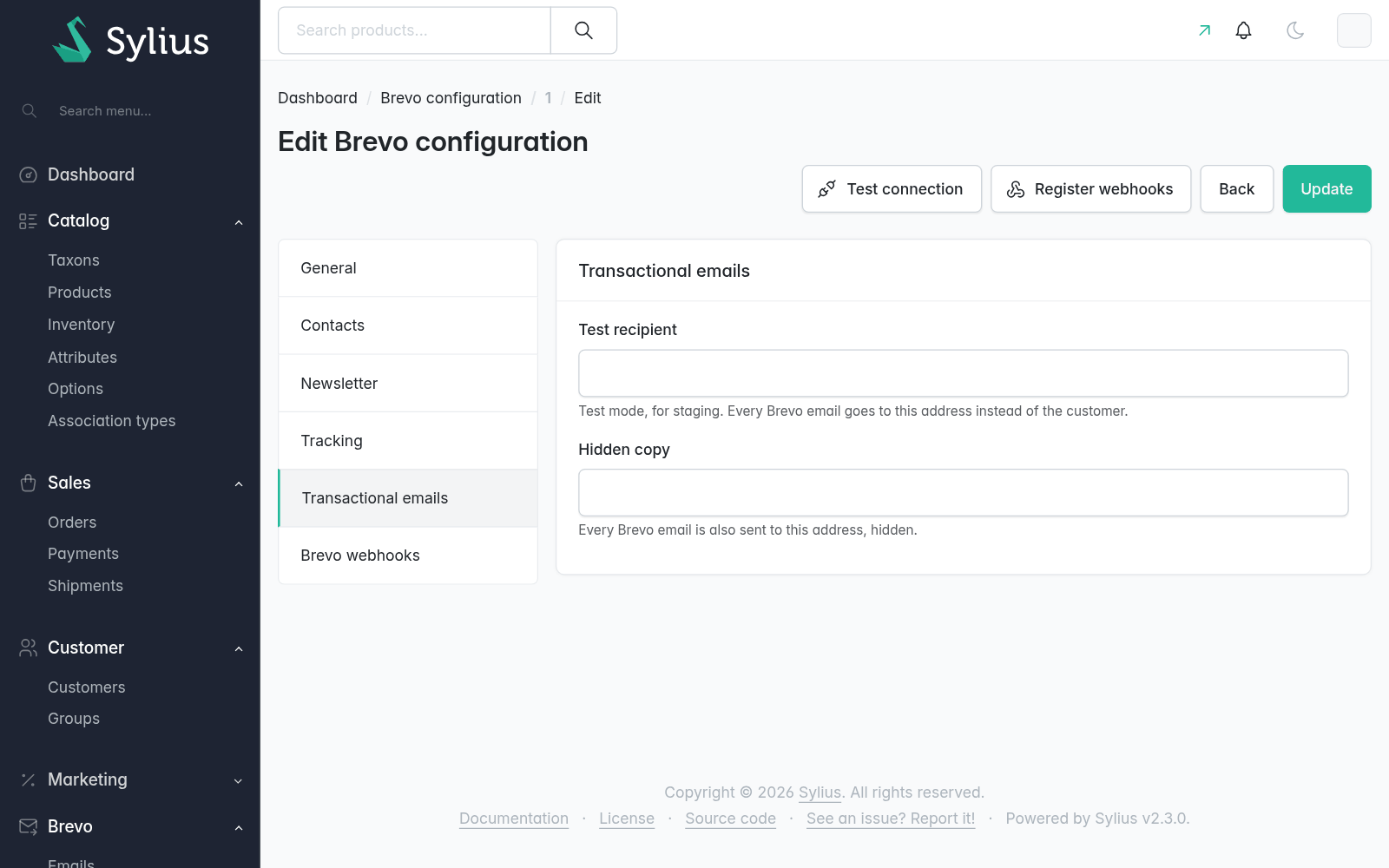
- Test recipient: every Brevo email of the channel goes to that address only. For staging.
- Hidden copy: an address that gets every email too.
Template variables
Templates use Brevo's language: {{ params.order.number }}, {% for item in params.order.items %}, {% if params.order.discount_total %}. Money and dates come formatted in the email language and unknown values are left out.
| Variables | Emails |
|---|---|
params.locale, params.store.name, .url, .email, .phone | all |
params.customer.email, .first_name, .last_name | orders, shipments, account emails |
params.order.number, .date, .url, .currency, .items_total, .shipping_total, .tax_total, .discount_total, .total, .payment_method, .shipping_method, .notes | order_confirmation(_resent), shipment_confirmation(_resent) |
params.order.items[]: name, variant, code, quantity, unit_price, total, image_url | same |
params.order.shipping_address, .billing_address: full_name, first_name, last_name, company, street, city, postcode, province, country, phone | same |
params.shipment.method, .tracking, .shipped_at | shipment_confirmation(_resent) |
params.verification_url | verification_token, account_verification(_token) |
params.reset_password_url | reset_password_token, password_reset, admin_password_reset |
params.admin.email, .first_name, .last_name | admin_password_reset |
params.contact.email, .message | contact_request |
| The plain values (strings, numbers) the email receives, by their name | any, e.g. other plugins' emails |
Add your own with a service implementing EmailParamsProviderInterface, tagged odiseo_brevo_pro.email_params_provider (it gets the email data and its channel and locale).
Designing templates
When adding an email in Brevo > Emails, its params show up as soon as the email and channel are chosen, before any template exists: create the template in Brevo with them, then choose it and save. It can be saved without a template too (Sylius keeps sending its own email meanwhile).
The edit page then has a Params and test card, per channel language (preview and test need the language's template saved):
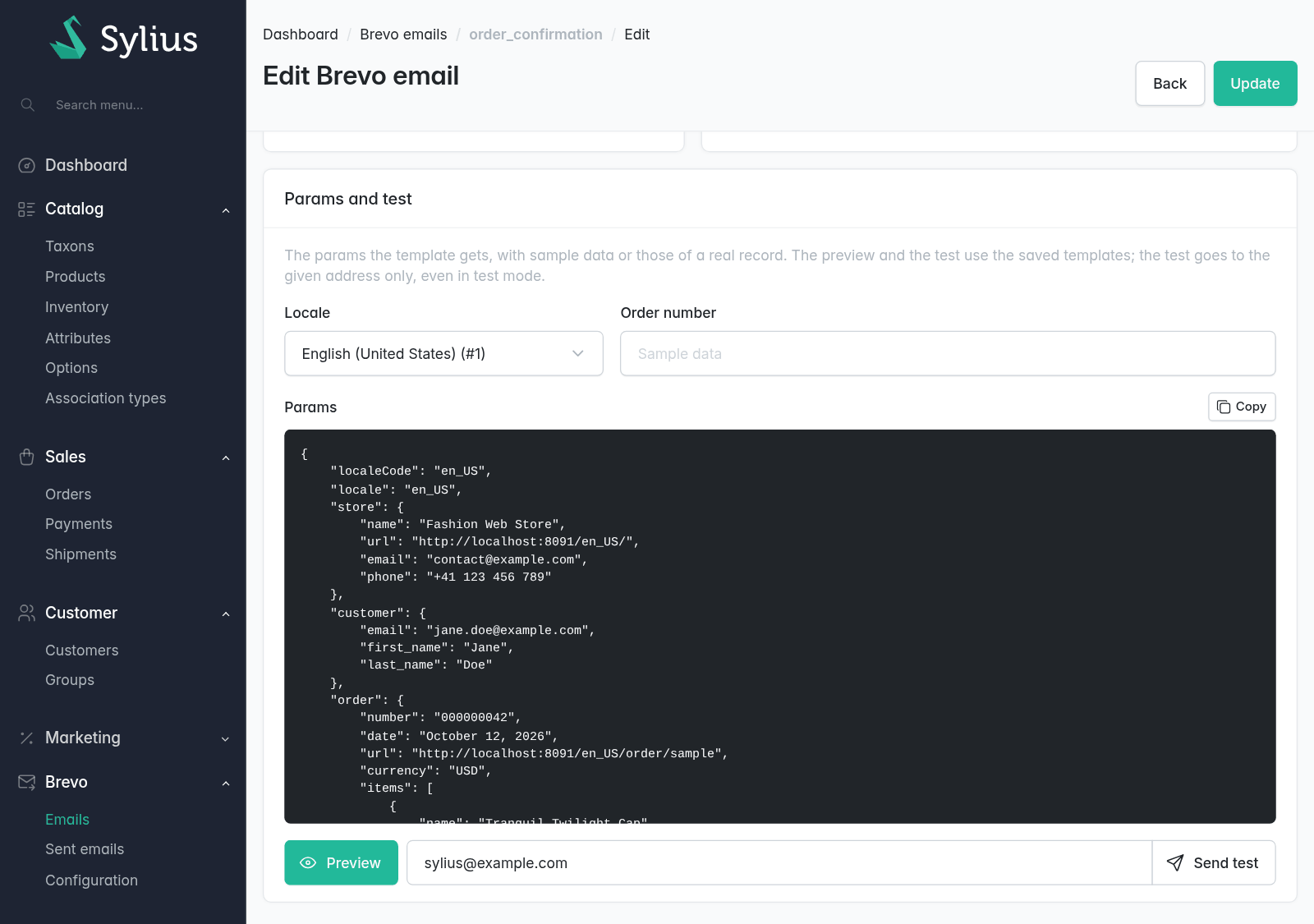
- Params: the JSON the template gets. By default it's built from made-up data with every field filled (a sample customer and addresses, with the channel's latest products and its methods), so it lists every variable and has no personal data. To try a real case, give an order number (order and shipment emails) or a customer email (account emails). Account links always carry a sample token, never the real one.
- Preview: the template rendered by Brevo with those params, per language (Brevo needs at least one contact in the account to render it).
- Send test: the email with those params to a given address only, right away (test mode and the hidden copy don't apply).
Add samples for other emails with a service implementing EmailSampleProviderInterface, tagged odiseo_brevo_pro.email_sample_provider; without one, an email only gets the store params.
Starter templates
To start from a ready-made design instead of a blank template:
bin/console odiseo:brevo:templates:scaffold --mapIt creates in the Brevo account of each channel a template per core email (order and shipment confirmation, registration, account verification, password reset, contact request) and channel language, named <email> (<locale>), in English or Spanish (other languages get the English texts). They are created inactive, and a template with the same name is kept as is. The sender of the channel's Brevo configuration is required.
With --map the emails get mapped to them, disabled (existing mappings are left alone): review and activate the templates in Brevo, then enable the emails in Brevo > Emails. Options: --channel=CODE, --email=order_confirmation (repeatable) and --dry-run.
Next: Sent emails.